A planning method
Eisenhower Matrix
Sort the week's tasks by two questions, is it urgent and is it important, and treat each of the four kinds differently.
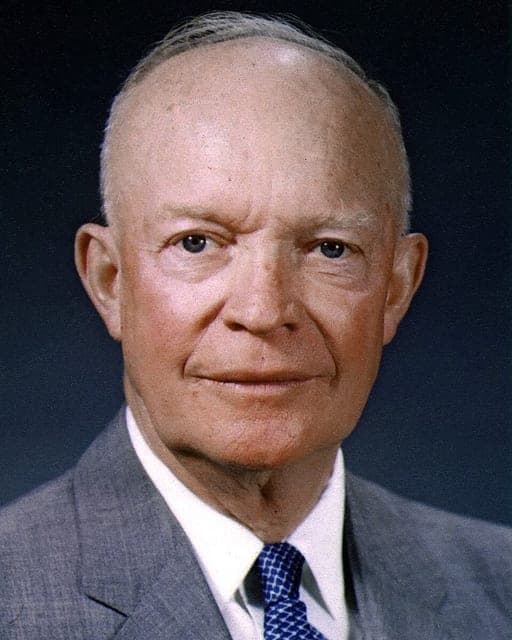

Where the name comes from
In August 1954, President Dwight D. Eisenhower spoke to the World Council of Churches at Northwestern University, in Evanston, Illinois. Partway through, he quoted a former college president. He did not say who, and no one knows for certain. Eisenhower had himself been president of Columbia University until 1953.
I have two kinds of problems, the urgent and the important. The urgent are not important, and the important are never urgent.
Dwight D. Eisenhower, Address at the Second Assembly of the World Council of Churches, Evanston, Illinois, August 19, 1954, quoting an unnamed college president
The four boxes
The grid came later. Stephen Covey made the four quadrants popular in The 7 Habits of Highly Effective People (1989), where he calls it the time management matrix. It crosses the two questions to give four kinds of task, each with its own answer:
- Urgent and important: do it now.
- Important, not urgent: schedule it.
- Urgent, not important: delegate it.
- Neither: drop it.
How the module works
One grid for the week, with urgency across and importance down, and each box's name set large and faint behind the space you write in: Do, Schedule, Delegate, Delete. Write each task where it belongs once, then work from Do.
The box to watch is Schedule. Important work that is never urgent is exactly what Eisenhower's college president meant, and it only gets done if it is given a time. Put each one on a day of this week's spread.
If you work alone, Delegate can still mean something: hand the task to a tool, batch it into one short slot late in the day, or ask for a later deadline so it stops being urgent.
Sources
- Dwight D. Eisenhower, Address at the Second Assembly of the World Council of Churches, Evanston, Illinois, August 19, 1954. The American Presidency Project.
- Stephen R. Covey, The 7 Habits of Highly Effective People (Free Press, 1989), Habit 3, "Put First Things First."
Put it in your planner
Start your plannerFind Eisenhower Matrix in the module drawer, under Planning. Free, and no account needed to try it.